Sharing & PigParse
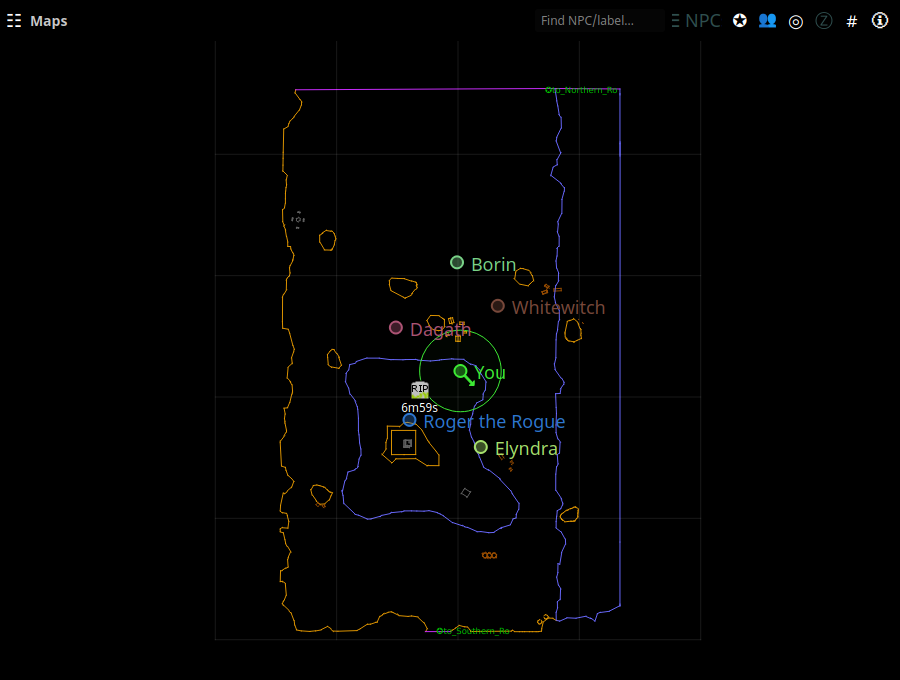
Sharing is what turns nParse+ from a personal parser into a group tool: player dots on the map, shared kill and raid timers, and server-wide feeds — interoperating live with EQTool users, who speak the same protocol.
The two networks
Pick a mode in Settings → Sharing:
| Mode | What it is |
|---|---|
| pigparse | The public pigparse.org hub that EQTool uses. Map dots, shared timers, quake/boat/roll feeds, the shared /who roster, and loot pricing all flow here. This is where the players are. |
| nparse | The original nParse websocket protocol, pointed at any server you choose — including your own (a reference locationserver ships in the repo). Location dots and corpse waypoints for a private group, no third-party server involved. |
| off | Nothing leaves your machine. |
On top of the global mode, each character has a location-sharing setting — everyone / guild-only / off — and a "Share timers" toggle, in Settings → Character. Guild-only means only guildmates see your dot.
What's shared on PigParse
- Your location — sent when you type
/loc(with a keepalive every 10 s), stopped after 5 idle minutes or when you camp. You see a zone's players once you've sent a location from that zone. - Kill/respawn timers — with Share timers on, your kills start respawn countdowns for groupmates and vice versa; Kael AoW lockout and dragon-roar timers are shared server-wide.
- Feeds — earthquake alerts, boat sightings, and random-roll results pool across everyone connected.
/whoroster — player names, classes, and levels from/whooutput are pooled, which is how buff timers and the DPS meter can label players with classes/levels you never personally saw.- Mob loot prices — Mob Info gets drop lists with pigparse.org's 6-month average auction prices.
The tray shows the current sharing status at the top of the menu.
pigparse.org account (optional)
Logging in with Discord (Settings → Sharing → Log in with Discord) links your parser to your pigparse.org account:
- Inventory upload — with pigparse.org picked as the dump upload
destination, typing
/outputfile inventoryin game uploads the dump to your pigparse.org character browser page, so your gear is inspectable there. Inventories only; a spellbook dump needs the p99planner destination.
The login token is stored locally in your settings and only ever sent to pigparse.org. Everything else on this page works without an account.
Privacy notes
- Nothing is shared unless a sharing mode is on — and even then, only
what's listed above: locations you
/loc, timers, feeds,/wholines. Chat is never shared. - Per-character off and guild-only switches mean your bard can be loud while your ranger camps quietly.
- The
nparsemode with your own server keeps everything on infrastructure you control.