Settings → Maps
Display tuning for the Maps window.
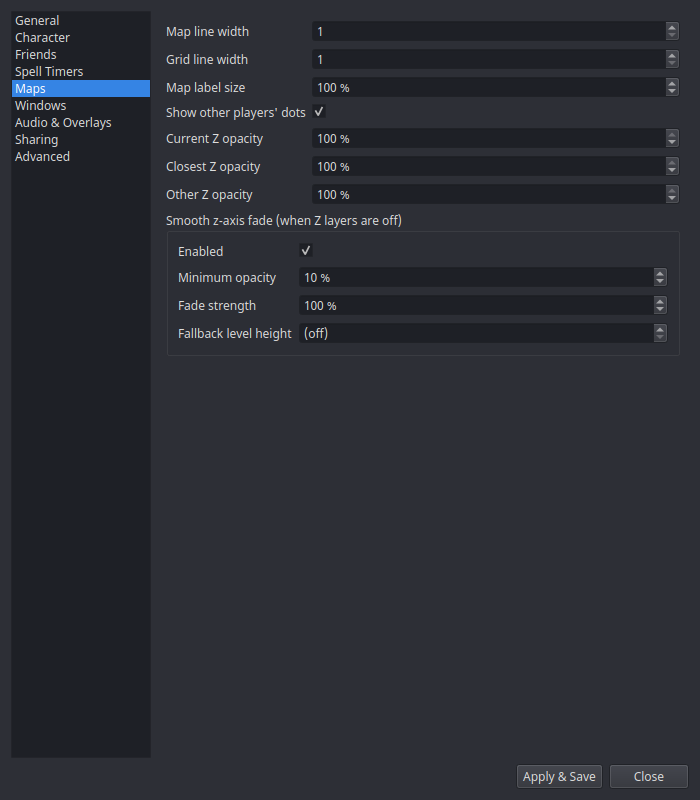
| Setting | What it does |
|---|---|
| Map line width | Thickness of map geometry lines. |
| Grid line width | Thickness of the coordinate grid. |
| Map label size | Scales POI labels, player names, and spawn countdowns. |
| Show other players' dots | Master toggle for shared player dots (Sharing). |
| Per-Z-layer opacity | Opacity per elevation layer when explicit Z layers are on. |
Smooth z-axis fade
When explicit Z layers are off, geometry far above or below you fades out smoothly instead of switching layers — tuned per zone, with these knobs:
| Setting | What it does |
|---|---|
| Enabled | Turn the smooth fade on/off. |
| Minimum opacity | The floor — geometry never fades below this, so upper floors stay faintly visible. |
| Fade strength | How aggressively opacity falls off with vertical distance. |
| Fallback level height | Assumed floor height for zones without tuned level data. |