Settings → Sharing
The network switch, and the optional pigparse.org account. Background: Sharing & PigParse.
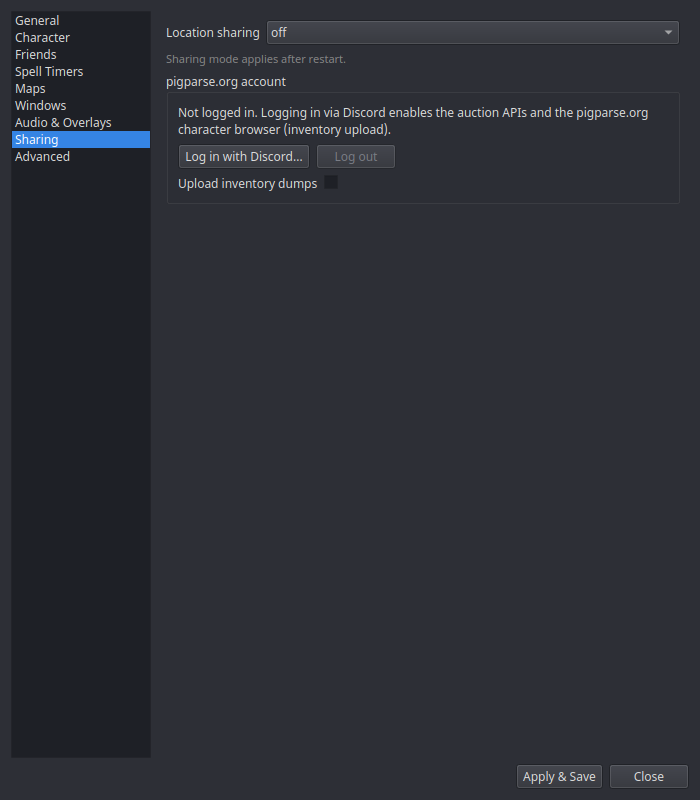
| Setting | What it does |
|---|---|
| Location sharing | The global mode: pigparse (the public hub EQTool uses), nparse (self-hostable websocket), or off. Applies after restart. |
Per-character everyone/guild-only/off switches and the Share timers toggle live on the Character page — the global mode picks the network; the character settings decide what that character sends.
pigparse.org account
| Control | What it does |
|---|---|
| Log in with Discord… | Opens your browser for pigparse.org's Discord OAuth login; the status line shows progress. The resulting token is stored locally in your settings. |
| Log out | Clears the token. |
| Upload inventory dumps | With a logged-in account: typing /outputfile inventory in game uploads the dump to your pigparse.org character page. Off by default. |
An account is not required for map dots, shared timers, or feeds — only for inventory upload.