Console
The Console is a plain scrollback of raw log lines with timestamps — the easiest way to check that nParse+ is reading your log, and the best friend of anyone writing triggers.
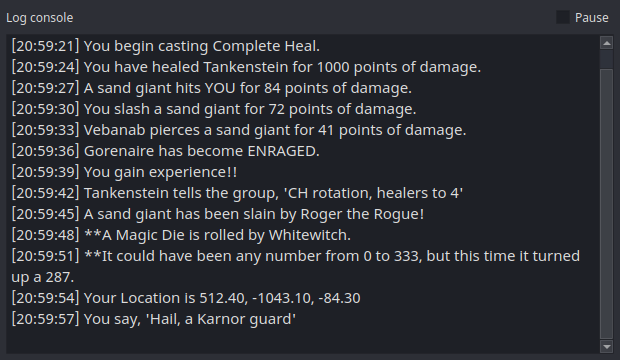
Open it from the tray → Console.
- Pause (checkbox, top right) freezes the scrollback so you can copy a line — e.g. to paste into the Trigger Editor's test box.
- The buffer keeps the most recent 2,000 lines.
- Unlike the overlays, the Console is a normal framed window by default (not always-on-top, not translucent) — it's a utility, not a HUD.
Typical uses
- First-run check: say something in game; if it shows up here, the whole pipeline is live (First run).
- Trigger authoring: find the exact log line you want to match, copy it, and paste it into the Trigger Editor's "Paste a log line…" test field.
- Bug reports: grab the lines around a misbehaving timer or parse.