Settings → Audio & Overlays
Voice and overlay timing, serving TTS and the Event Overlay.
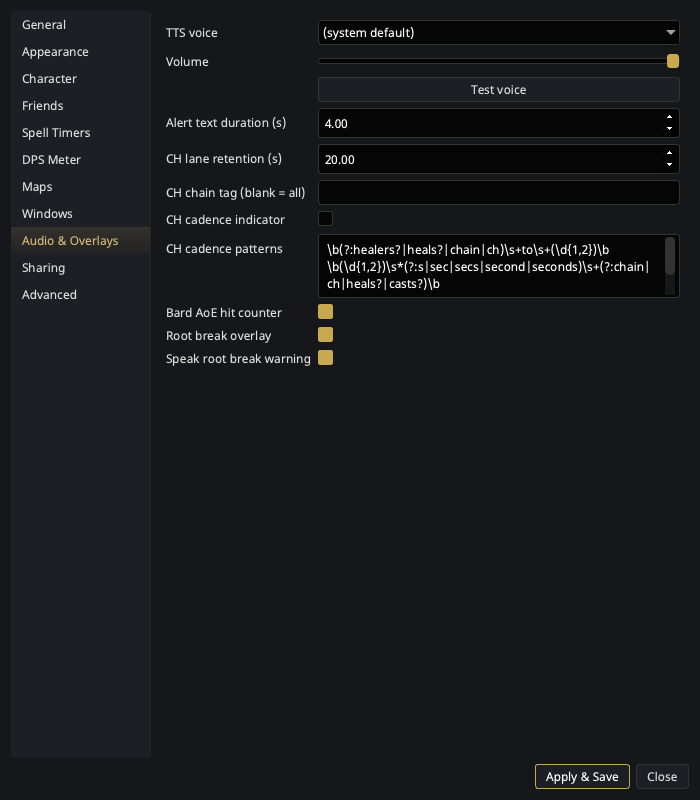
| Setting | What it does |
|---|---|
| TTS voice | Pick from your system's installed voices (or the system default). |
| Volume | Speech volume. |
| Test voice | Speaks a sample line with the current voice/volume. |
| Alert text duration (s) | How long trigger alert text stays on the Event Overlay (default 4 s). Also paces the scroll an over-long alert uses, so raising it both keeps the alert up longer and slows the scroll to match. |
| CH lane retention (s) | How long an idle CH chain lane lingers after its last call (default 20 s). |
| CH chain tag (blank = all) | Follow only CH chain calls prefixed with this raid tag (e.g. GG). Blank follows all calls. Applies immediately. |
| CH cadence indicator | Opt-in. When the raid leader calls a cadence in chat ("healers to 4 seconds", "chain to 3", "CH to 5", "4 second chain"), draw a muted marker on that second-cell of the CH lane as the next-expected-cast tick. Off by default. |
| CH cadence patterns | The regexes that recognize a cadence callout — one per line, each with a capturing group ( ) for the seconds (like a trigger's search text). Blank uses the stock phrasings. |
| Bard AoE hit counter | Show a yellow overlay and speak a tally of bard AoE hits/resists when a swarm session finalizes. Only fires for 2+ hits, so a stray wince stays quiet. On by default. |
| Root break overlay | Show a red <Spell> has worn off! alert when one of your roots wears off — the CC'd add is loose, or the parked mob isn't parked. Covers Root, Fetter, Enstill, Immobilize, Paralyzing Earth and the Roots line (Grasping / Ensnaring / Enveloping / Engulfing / Engorging / Entrapping). On by default. |
| Speak root break warning | Speak the same warning. Independent of the overlay toggle — take one, both, or neither. On by default. |
Everything on this page applies as soon as you hit Apply — no restart. A voice or volume change reaches the trigger engine and the alert handlers that are already running; the durations take effect on the next alert and the next lane; and the alert toggles are read at the moment something would fire, so un-ticking one silences it immediately.