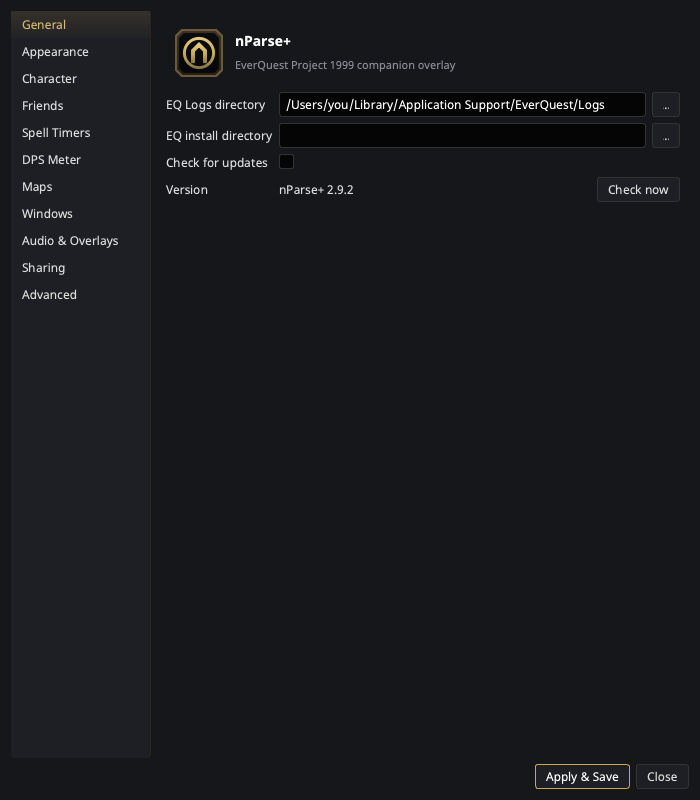
| EQ Logs directory |
The folder nParse+ watches for eqlog_*.txt files. The single most important setting — see First run for where to find it per platform. |
| EQ install directory |
Optional. Points at the EverQuest install itself; enables reading your real spells_us.txt (instead of the bundled copy), Friends sync, the Macro Editor, the Night Vision fix, and the inventory watcher. Applies on Apply — the spell database switches over for the next spell you cast, with no restart. |
| Check for updates |
The startup GitHub release check (Self-updater). |
| Version indicator |
Shows the running nParse+ <version> with a status badge — green Up to date or amber Update available: vX.Y.Z — and a Check now button to re-run the release check on demand. (Previously the version was only visible in the tray menu.) |